EX-01
Operations portal
A distributor replaces a set of shared spreadsheets with an internal portal: stock, orders and supplier records in one data model, role-based access, and an audit trail for every change.
Section 01 — Positioning
HES & CAR GmbH is an IT company working across custom software, web platforms, cloud infrastructure and systems integration — with an emphasis on clarity, maintainability and security-conscious engineering.

Section 02
Introduction
We design, build and maintain the software that organisations depend on internally and offer to their users.
Work usually begins with a situation rather than a specification: a process that has outgrown the tools supporting it, a system that has become expensive to change, or a product idea that needs a technical shape before anyone can cost it. Our first task is to understand that situation precisely enough to describe it in writing.
From there we build in increments that can be reviewed, tested and, if necessary, reversed. The systems we deliver are documented, monitored and structured so that another engineer can pick them up — including engineers who were never part of the original project.
Section 03
Capabilities
Section 04
Custom software development
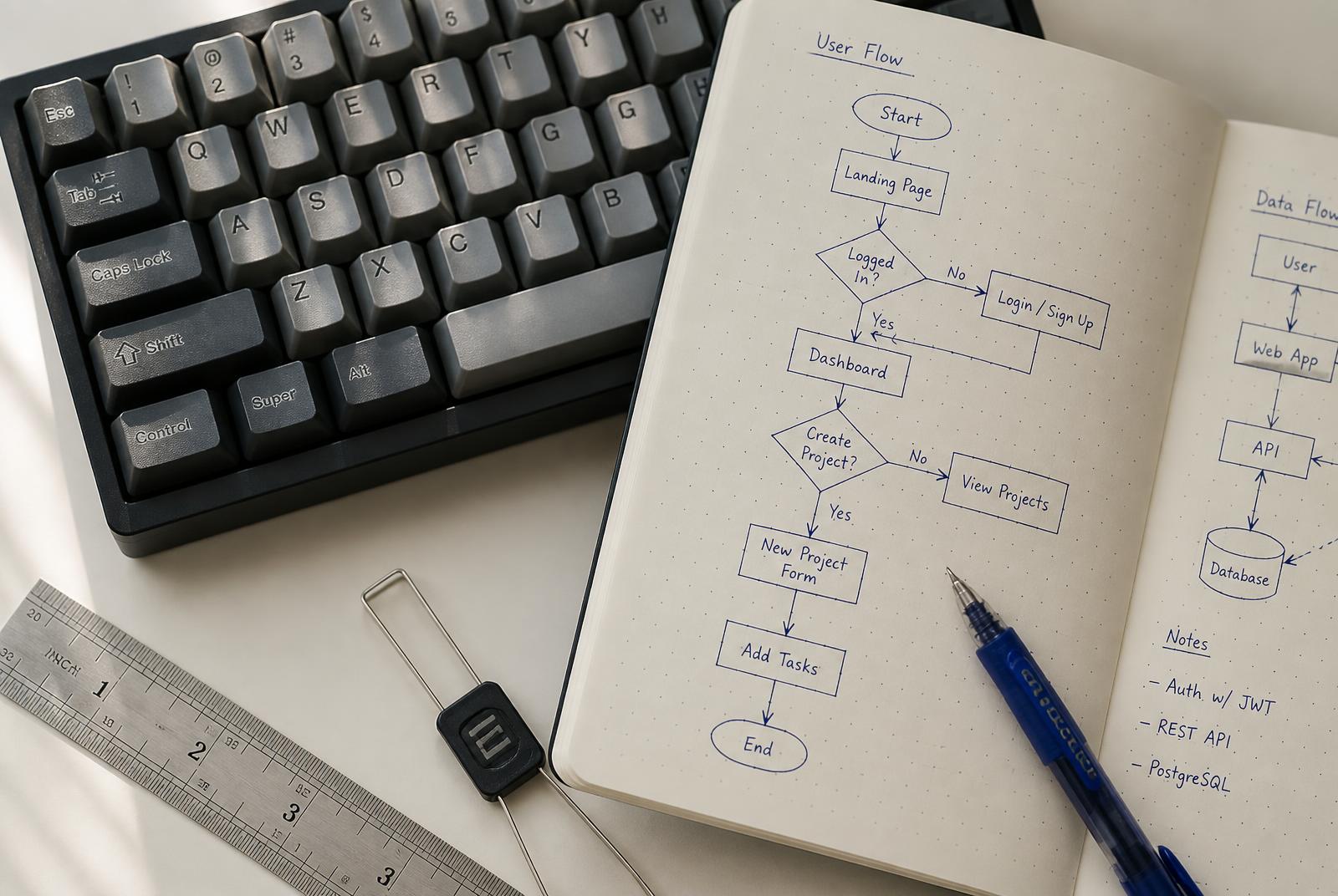
When a process is specific to an organisation, generic software forces the process to bend. Custom development goes the other way: the data model, the rules and the interface follow the work as it is genuinely done, including the exceptions that never appear in the official description.
A typical build covers the domain model, backend services and APIs, an administrative interface, automated tests, a deployment pipeline, and the documentation needed to run it all without us.

Section 05
Web applications
Browser applications carry most of the day-to-day contact between a system and the people using it. We build them from a small, reusable component set, verify keyboard and screen-reader behaviour, and treat loading performance as a measured budget rather than an assumption.
Public platforms are rendered on the server or generated statically where that makes them faster and more indexable; internal tools are optimised for the repeated tasks their users perform all day.
Section 06
Cloud architecture
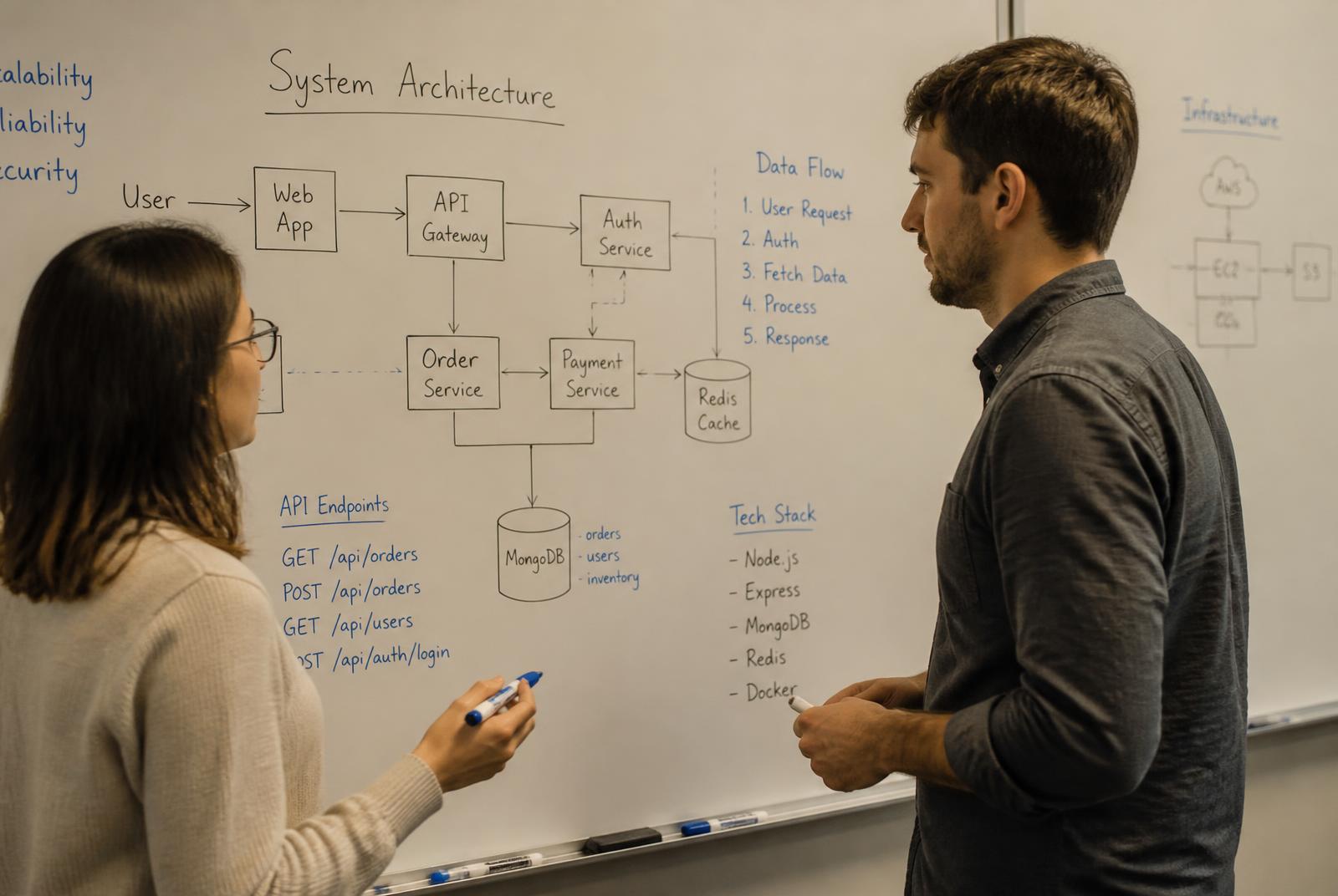
Environments configured by hand drift apart and eventually surprise someone at the worst moment. We define infrastructure as code so that every environment is reviewable, reproducible and auditable — and so recovery is a documented procedure rather than an improvisation.
Scope typically includes networking and access policy, environment separation, monitoring and alerting, backup and restore, and a cost model that makes spending predictable.


Section 07
Integration & automation

Both disciplines share one requirement: the result must be observable. If an automated step fails at 03:00, someone should know before a customer does.
Section 08
Engineering quality
Quality shows up after release: whether failures are visible, whether data stays consistent, whether a change can be made without fear. Reviews, automated tests and type safety are the instruments; predictable behaviour is the objective.
Security is handled as ordinary engineering rather than a final checklist — least-privilege access, input validation, secrets stored outside the repository, encrypted transport, scheduled dependency updates, and deliberate decisions about what personal data a system needs to hold at all.

Section 09
Delivery process
01
We map the current process, its exceptions and its data, and agree what success would actually look like.
02
Architecture, sequencing and scope boundaries are written down, with the assumptions behind each estimate.
03
Work lands in reviewable increments, with tests written next to the logic they protect.
04
Automated suites, manual review of critical paths, and verification against the agreed behaviour.
05
Dependency updates, monitoring, incident support and planned improvements after release.
Section 10
Illustrative scenarios
The scenarios below are illustrative examples written to explain typical engagements. They are not completed client projects, case studies or references, and no client is described or implied.
EX-01
A distributor replaces a set of shared spreadsheets with an internal portal: stock, orders and supplier records in one data model, role-based access, and an audit trail for every change.
EX-02
A long-running billing system is moved off a single ageing server. The database is migrated in stages, the interface is rewritten module by module, and both systems run in parallel until parity is verified.
EX-03
A service company connects its CRM, accounting package and support desk through an event-driven integration layer with retries, idempotent writes and a reconciliation report.
EX-04
A finance team's monthly report is generated automatically from source systems, with validation rules that flag anomalies for human review before the figures are circulated.
Section 11
Working principles
Technical trade-offs explained without jargon, so decisions are made by the people accountable for them.
Each significant choice is recorded with its reasoning and its alternatives.
Progress and obstacles are shared as they occur, not summarised after the fact.
Standard tooling, documented systems and exportable data, so another team could take over.
Section 12
Frequently asked questions
Q01
Organisations that need software built or maintained around a specific internal process, product or platform. Engagements vary in size; the common factor is a defined technical problem rather than a fixed catalogue purchase.
Q02
Both. A significant part of the work involves systems that already exist — extending them, integrating them, stabilising them, or migrating them in stages rather than replacing everything at once.
Q03
Through a discovery phase that produces a written description of the problem, the proposed architecture, the first deliverable slice, and what is deliberately out of scope. Estimates are presented with the assumptions they rest on.
Q04
Choices depend on the problem, the team that will maintain the result, and any existing environment. We prefer well-documented, widely supported technologies over novel ones, and we explain the reasoning before committing.
Q05
As part of ordinary engineering: least-privilege access, validated input, secrets kept out of source control, dependency updates on a schedule, encrypted transport, and careful handling of personal data.
Q06
Handover includes documentation, runbooks and access to the deployment pipeline. Ongoing maintenance — updates, monitoring, incident support and further development — can be arranged as a separate, continuing arrangement.
Q07
In writing, regularly, in plain language. Decisions, risks and changes to scope are documented as they happen so that there is a single shared record.
Q08
By email at cynthiarussell196@gmail.com. The website is hescar.com.